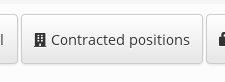
Module - creating a new dashboard button
Last modified by tomiskar on 2019/04/10 13:52
In this tutorial we will describe how to create and register new button on identity dashboard.
What do you need before you start
- You need to install CzechIdM 9.6.0 (and higher). We have CzechIdM installed for this tutorial on server http://localhost:8080/idm-backend##.
Source codes for this tutorial can be found in the example module
01 Create a button component
We will use AbstractIdentityDashboardButton component as superclass for creating custom button (prepared in core advanced component library) - contains some default method implementations (common button features ... boiler plate). Newly created button will do a redirect to selected identity contacts tab.
import { connect } from 'react-redux';
//
import { Advanced, Managers } from 'czechidm-core';
const identityManager = new Managers.IdentityManager();
/**
* Quick button to identity detail with contract tab selected.
*
* @since 9.6.0
*/
class IdentityContractDashboardButton extends Advanced.AbstractIdentityDashboardButton {
constructor(props, context) {
super(props, context);
}
getIcon() {
return 'component:contract';
}
isRendered() {
const { identity, permissions } = this.props;
//
return identityManager.canRead(identity, permissions);
}
getLabel() {
return this.i18n('content.identity.identityContracts.header');
}
getTitle() {
return this.i18n('content.identity.identityContracts.title');
}
onClick() {
this.context.router.push(`/identity/${encodeURIComponent(this.getIdentityIdentifier())}/contracts`);
}
}
function select(state) {
return {
i18nReady: state.config.get('i18nReady'), // required (listen locale is changed)
userContext: state.security.userContext // required (listen logged user context)
};
}
export default connect(select)(IdentityContractDashboardButton);
//
import { Advanced, Managers } from 'czechidm-core';
const identityManager = new Managers.IdentityManager();
/**
* Quick button to identity detail with contract tab selected.
*
* @since 9.6.0
*/
class IdentityContractDashboardButton extends Advanced.AbstractIdentityDashboardButton {
constructor(props, context) {
super(props, context);
}
getIcon() {
return 'component:contract';
}
isRendered() {
const { identity, permissions } = this.props;
//
return identityManager.canRead(identity, permissions);
}
getLabel() {
return this.i18n('content.identity.identityContracts.header');
}
getTitle() {
return this.i18n('content.identity.identityContracts.title');
}
onClick() {
this.context.router.push(`/identity/${encodeURIComponent(this.getIdentityIdentifier())}/contracts`);
}
}
function select(state) {
return {
i18nReady: state.config.get('i18nReady'), // required (listen locale is changed)
userContext: state.security.userContext // required (listen logged user context)
};
}
export default connect(select)(IdentityContractDashboardButton);
02 Register button component
Component is created, now we need to register her in component descriptor. New button will be available on identity dashboard.
Add component into module's component-descriptor.js:
...
module.exports = {
...
'components': [
...
{
'id': 'identity-contract-dashboard-button',
'type': 'identity-dashboard-button',
'order': 150,
'component': require('./src/content/dashboards/button/IdentityContractDashboardButton')
}
...
]
};
...
module.exports = {
...
'components': [
...
{
'id': 'identity-contract-dashboard-button',
'type': 'identity-dashboard-button',
'order': 150,
'component': require('./src/content/dashboards/button/IdentityContractDashboardButton')
}
...
]
};
...