Dynamic form - localization
The aim of this tutorial is show the way, how to add localization for dynamic form.
What do you need before you start
- You need to install CzechIdM 8.1.0 (and higher). We have CzechIdM installed for this tutorial on server http://localhost:8080/idm##.
- Create an identity, which has permission to work with dynamic forms (at least read form definitions and attributes). We are using the default admin:admin identity.
01 Create new dynamic form
We will create new dynamic form for identity. From will be shown on identity detail on 'More information' tab.
Go to menu 'Settings' -> 'Form definitions' and add new definition:
- Type - eu.bcvsolutions.idm.core.model.entity.IdmIdentity
- type is spinal-cased => eu-bcvsolutions-idm-core-model-entity-idmidentity and used as section in localization file under eav section.
- Code - myform
- code is spinal-cased => myform and used as section in localization file under type eu-bcvsolutions-idm-core-model-entity-idmidentity section.
- Name - Awesome form
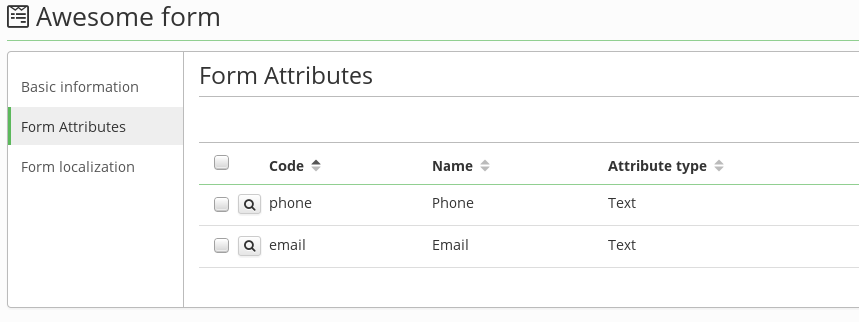
Define form attributes as bellow (required is code and name only, other attribute properties are optional for this tutorial):
02 Add localization
On form definition detail new tab 'Form localization' was added:
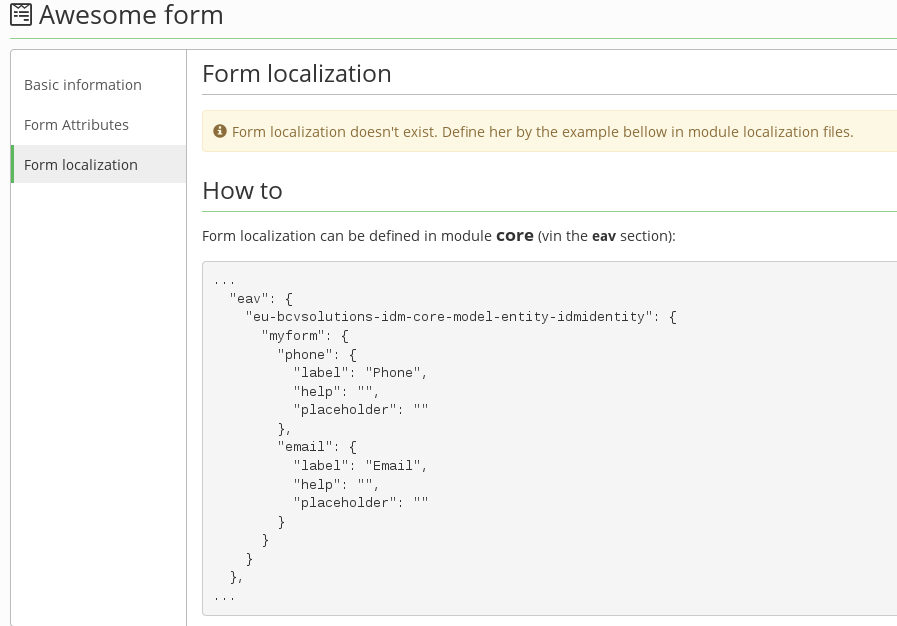
Copy form definition section from how-to, then go to core module frontend localization files (src/locales/...) and paste it under eav.eu-bcvsolutions-idm-core-model-entity-idmidentity section (or create her, if doesn't exist). Then localization values (attribute labels, helps, placeholders) can be edited:
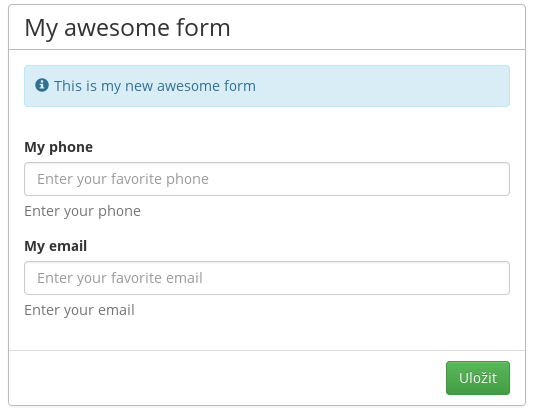
"label": "My awesome form",
"help": "This is my new awesome form",
"attributes": {
"phone": {
"label": "My phone",
"help": "Enter your phone",
"placeholder": "Enter your favorite phone"
},
"email": {
"label": "My email",
"help": "Enter your email",
"placeholder": "Enter your favorite email"
}
}
}
03 Test
Go to identity detail and More information tab, you can see: