

Technical accounts - Create a new technical account
Technical accounts are created using a wizard. To manage technical accounts, a special configuration of the connected system is necessary. See this tutorial for more details.
Create a new technical account with a wizard
Technical accounts can only be created with a wizard. This allows you to configure the details of the technical accounts.
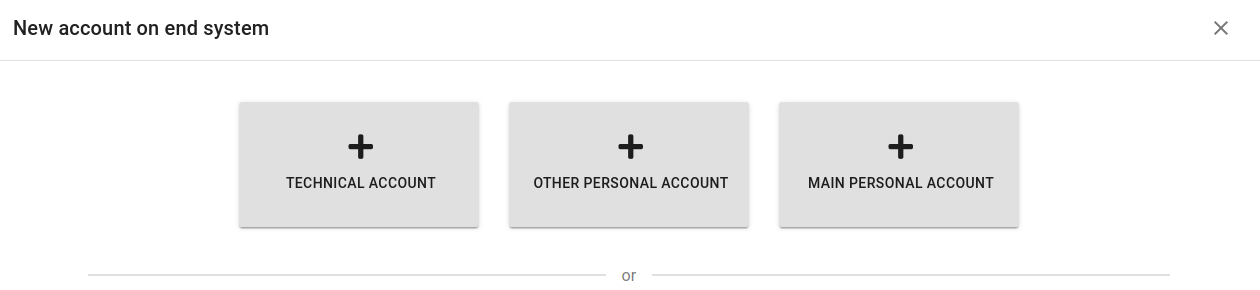
Navigate to System > Accounts, click the Add button. Select "Technical account" from the windows.
Basic setting for account
Select your system, user type (needs to be a provisioning mapping), and the guarantor.
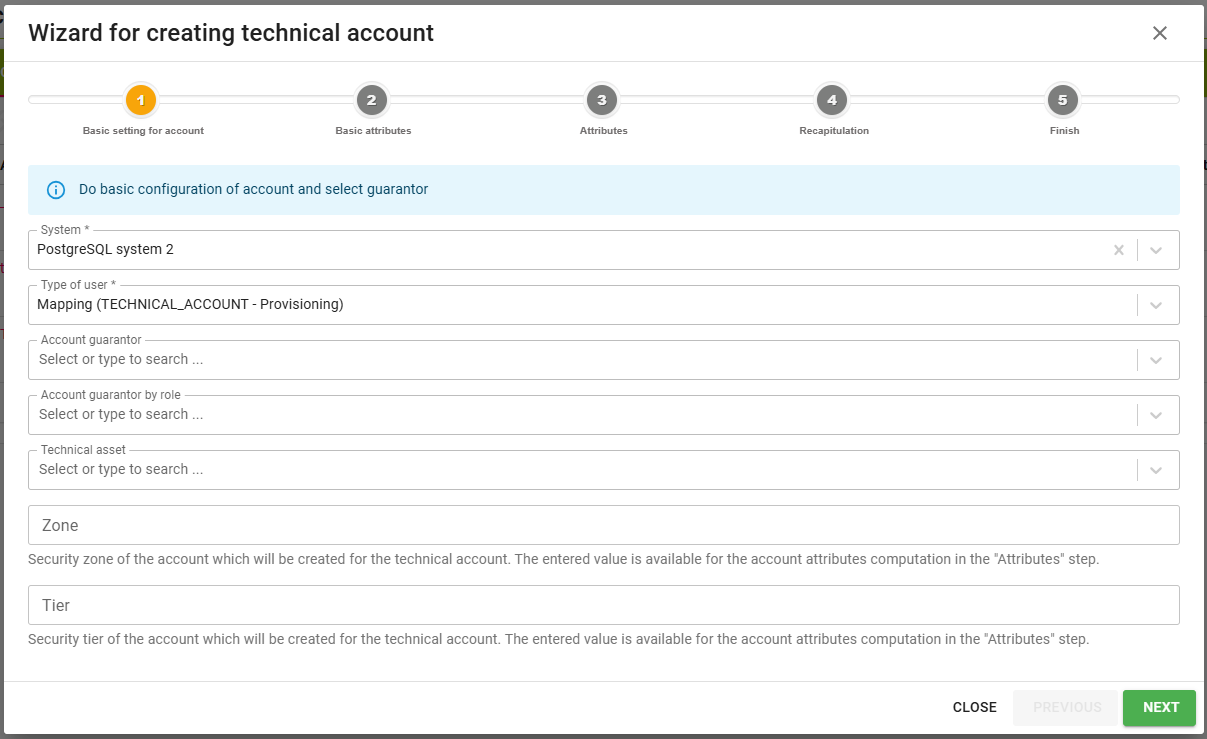
| Attribute | Mandatory | Description |
|---|---|---|
| System | yes | The system the technical account will be created on. |
| Type of user | yes | Mapping the account will use. Only provisioning mappings of the technical account type defined on the selected system are offered. |
| Account guarantor | no | Identities responsible for the technical account. More than one identity can be selected. |
| Account guarantor by role | no | Roles whose members are responsible for the technical account. More than one role can be selected. |
| Technical asset | usually yes | The technical asset the account belongs to. It can be left empty only by users who are allowed to create an account without an asset - see the configuration properties idm.pub.tech.techAccountWizard.accountWithoutAssetForAdmin and idm.pub.tech.techAccountWizard.accountWithoutAssetRoles. |
| Zone | no | Security zone of the account which will be created for the technical account. The values come from the security-zones code list. The code list is empty after the installation - until it is filled in, the field behaves as a plain text field. |
| Tier | no | Security tier of the account which will be created for the technical account. The values come from the security-tiers code list, with the same behaviour as the zone. |
The zone and the tier are saved on the account and they are available when the account attributes are computed in the following steps. A transformation script reads them from the wizard, for example context.get("wizard").getMetadata().get("zone"). Such a script has to be a named script with the class authority for eu.bcvsolutions.idm.acc.dto.AccountWizardDto, an authority cannot be granted to a script written directly into the mapped attribute.
Basic attributes
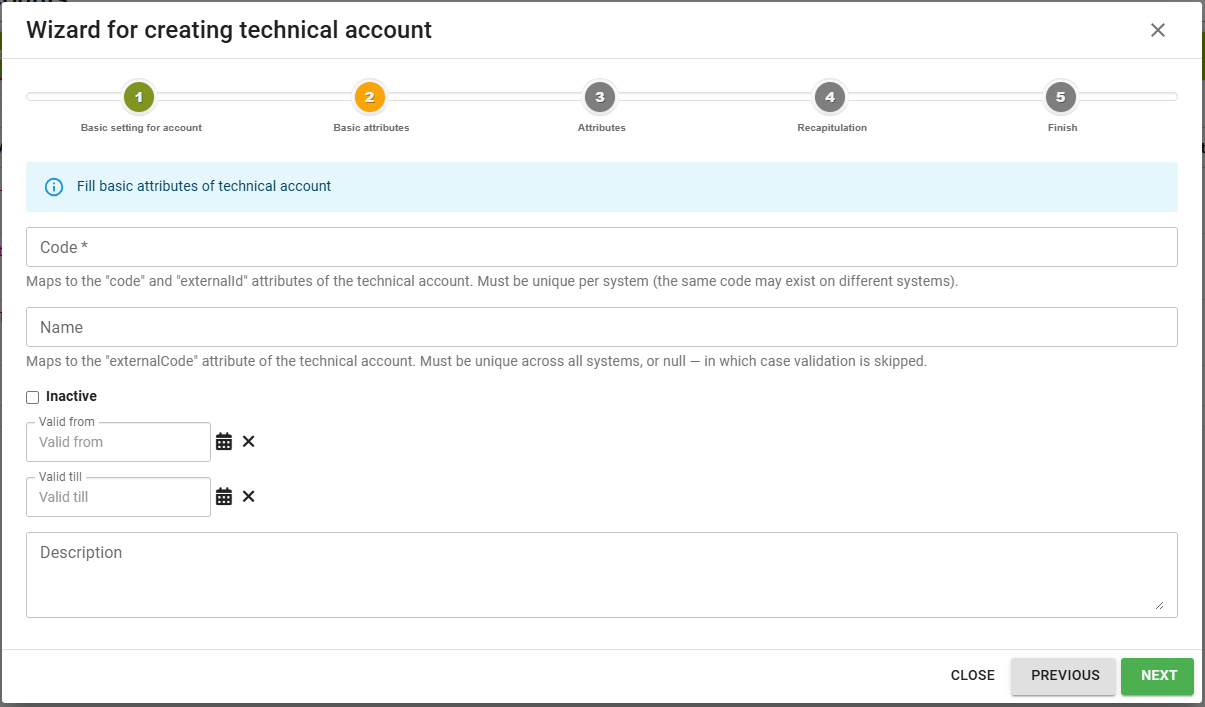
Click Next and fill in the basic attributes of the technical account itself.
| Attribute | Mandatory | Description |
|---|---|---|
| Code | yes | Maps to the "code" and "externalId" attributes of the technical account. Must be unique per system, the same code may exist on different systems. Maximum 1000 characters. |
| Name | no | Maps to the "externalCode" attribute of the technical account. Must be unique across all systems, or empty - in which case the validation is skipped. Maximum 1000 characters. |
| Inactive | no | The technical account is created as inactive. |
| Valid from | no | Beginning of the technical account validity. |
| Valid till | no | End of the technical account validity. |
| Description | no | Note for the technical account. Maximum 2000 characters. |
Attributes
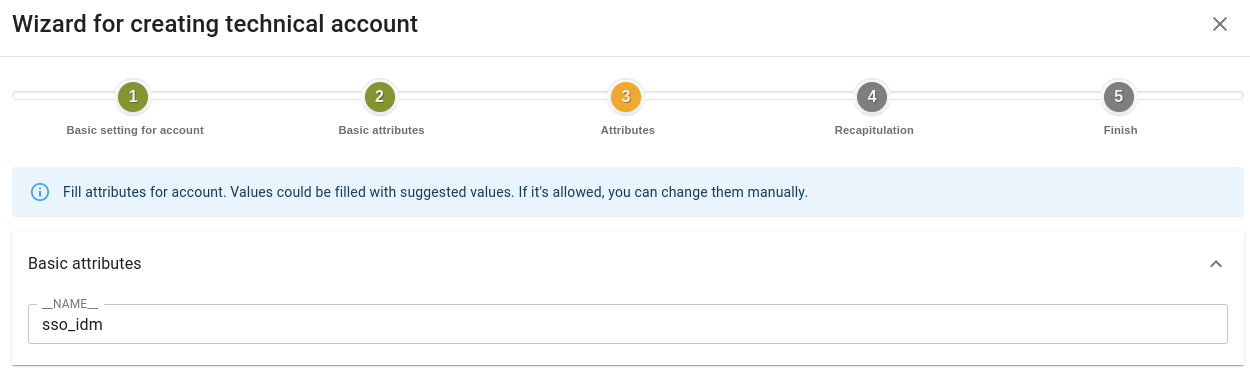
Click Next. Now you can edit the attribute values for the accounts. If you have mapping configured, you will see the default values. Make sure that the UID (typically __NAME__) is unique. Any value you change will be managed manually and will not be changed based on the mapping.
Recapitulation
Click Next. You can now review the attribute values for the account.
If you are happy with them, click Next again. The account will be created. You can exit the wizard now.
Approval of the technical account creation
Creating a technical account can be subject to approval. The approval is not enabled out of the box - it is configured in Settings > Approval Processes, where an approval process is created for the Technical Account Creation Request event type.
When such an approval process applies, finishing the wizard does not create the account. Instead, a request is submitted and the last step of the wizard tells you so, rather than telling you that the account was created. The technical account, the account on the target system and the provisioning are done only after the request is approved. If the request is rejected, nothing is created.
The approval task is named Approval of technical account <code> creation on system <system>. Its detail shows everything that was filled in the first two steps of the wizard, so the approver decides with the full picture:
- the system and the technical asset (or the information that the account is created without an asset),
- the basic attributes of the technical account - code, name, inactive, validity and description,
- the zone and the tier of the account,
- the account attributes that the requester changed against the values computed from the mapping,
- the guarantors and the guarantor roles.
When the approval process is designed, the approvers of a task can be resolved automatically:
- owners of the system the account is being created on - both the identities set as owners of the system and the members of the system owner roles,
- holders of the technical asset the account belongs to.