

Automatic roles - adding role by node in structure
As we need to set some automatic roles by its place in the structure we will create two new form properties. In these properties will be held names of nodes where the contract is positioned or for the second property what are his parents. Follow this tutorial to set this feature up.
Preparation
These few steps are needed before we start using this feature
1) Extras module
Make sure that you have enabled Extras module. This feature is part of that module.
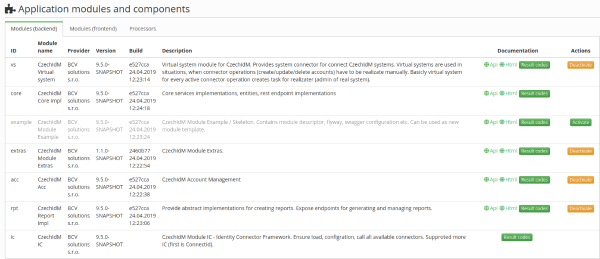
2) Configuration of names
Now we need to move to Settings → Configuration and there are these properties. Provide name by your choice. In the example below you can see these properties:
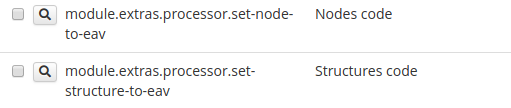
module.extras.processor.set-node-to-eav - to this property we write all nodes where contract is positioned
module.extras.processor.set-structure-to-eav - to this property, we write all nodes and their parents where the contract is positioned
3) Set automatic role
Now we need to set an automatic role. Move to Roles → Automatic roles → Based on the attribute. Now follow the pictures.
- Add new automatic role

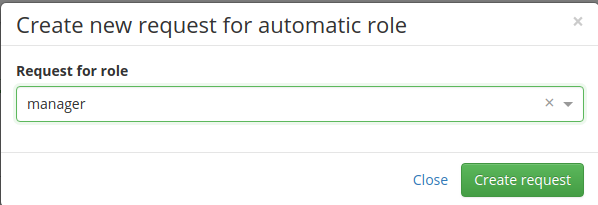
- Choose the role
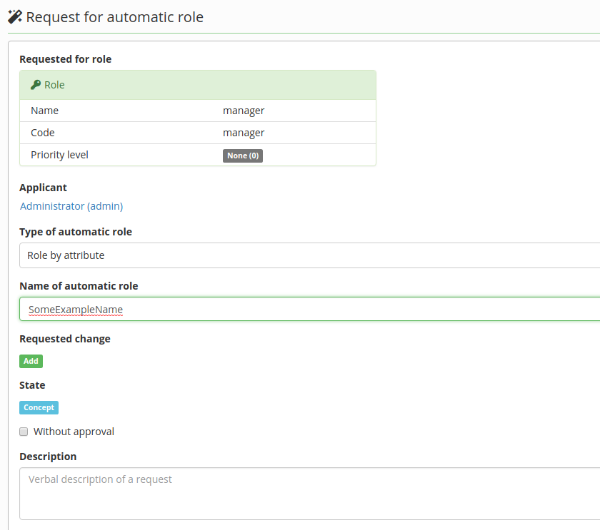
- Fill the name
- Add rule
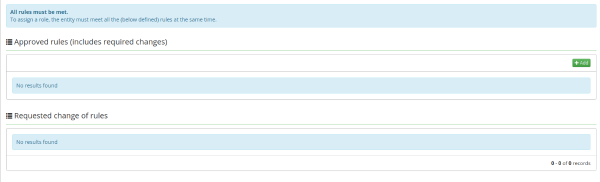
- Fill information - you can see that you need extended attribute of the contract. Then select your attribute name set in step 2. How equals is working? It is true if in this attribute is your name of the node.
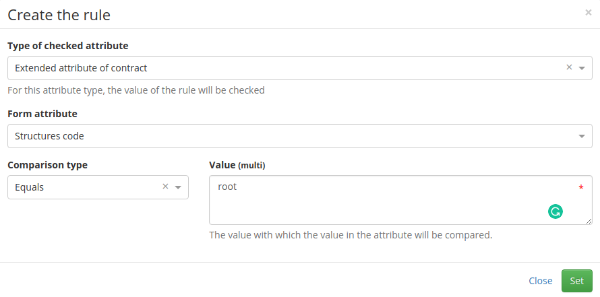
- Now we have approved the rule and all is set up!

Turning off automatic role recalculation
In some cases it might be beneficial to disable automatic role recalculation for IdmIdentityContractDto entity events created by changing TreeNodes parent (see AbstractSaveContractsExecutor). This can be done by setting the configuration property
Note that in order for this to work properly, you need to schedule ProcessAllAutomaticRoleByAttributeTaskExecutor after tree node sync which will ensure that automatic roles will be recalculated. Also, keep in mind that this won't work for manual tree node parent change or any other change of tree nodes parent for that matter. For this reason, it is recommended to use this only in environments, where tree node structure is synchronized and is never manually altered.