

Bulk actions for accounts
Bulk actions on accounts are used for making easy and asynchronous changes on multiple accounts.
Supported bulk actions on accounts
- Recalculate accounts and provision
- Delete accounts
- Stop managing accounts
Bulk actions
Recalculate accounts and provision
This operation will recalculate roles for a given account (both directly on account and contract) and provision the account to its system. This is useful if you need to provision accounts only for certain accounts rather than all accounts for a given owner.
Delete accounts
This operation will delete accounts from IdM and the target system. Provisioning will occur (Icon red bin). Bulk action class AccountDeleteBulkAction.
Stop managing accounts
This operation will delete accounts from IdM but not the target system. Provisioning will NOT occur (Icon black bin). Bulk action class AccountStopManagingBulkAction.
Roles assignment
This bulk action is only available from the Role -> Accounts with role agenda
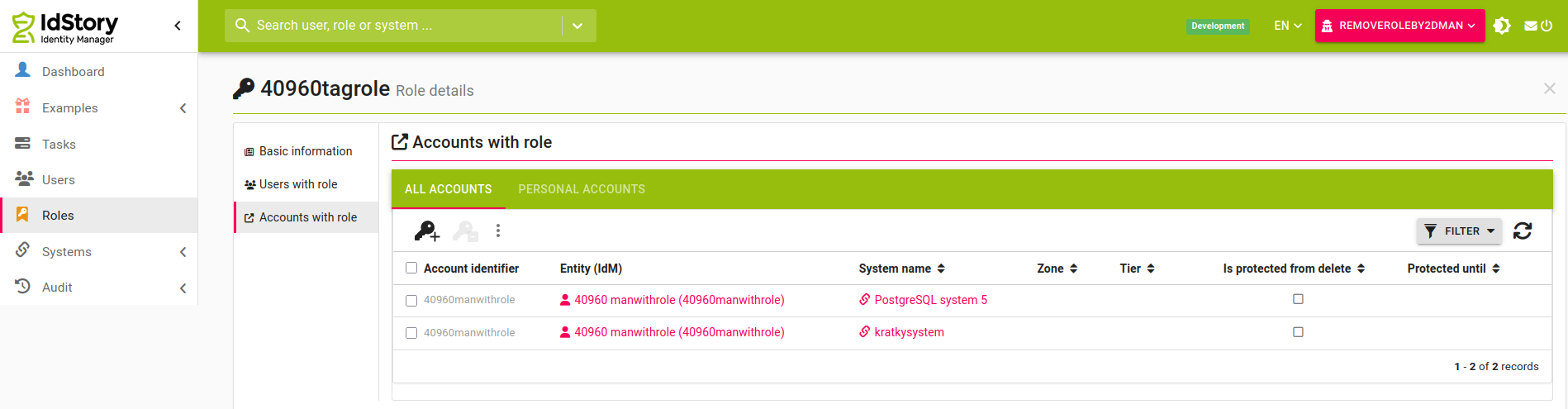
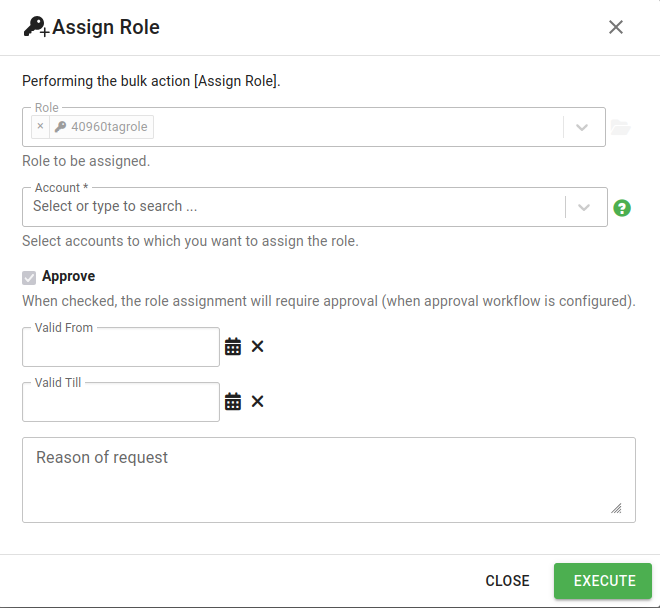
This bulk action supports specific settings:
- Role - the role to be assigned, preselected as the role from detail
- Account - the accounts to which the roles will be assigned
- Approve - if you have permission for execute without approving new roles (IdmRoleRequest - Execute), you can uncheck this selecbox
- Valid from - if valid from is not filled, then will be filled from contract automatically,
- Valid till - if valid from is not filled, then will be not set (assigned role will be removed by contact validity).
- Reason of request - will be added as description to the created requests
Required permission for execute:
- Account read and add role
- Role request create
- Role request concept create
- Role can be requested
- The action also requires that the user is the guarantor of the assigned role
Role removing
This bulk action is only available from the Role -> Accounts with role agenda
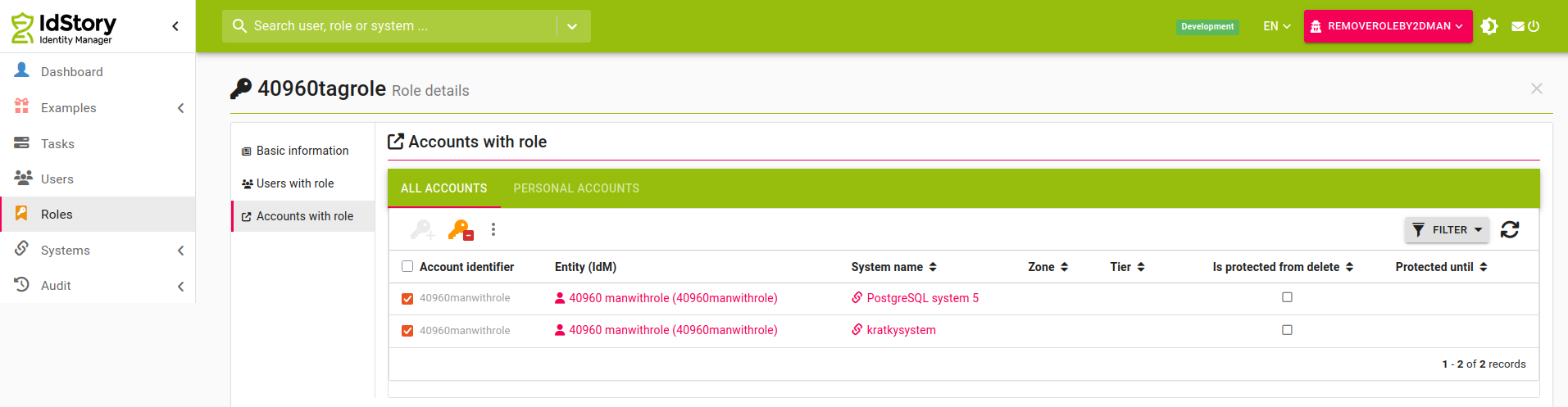
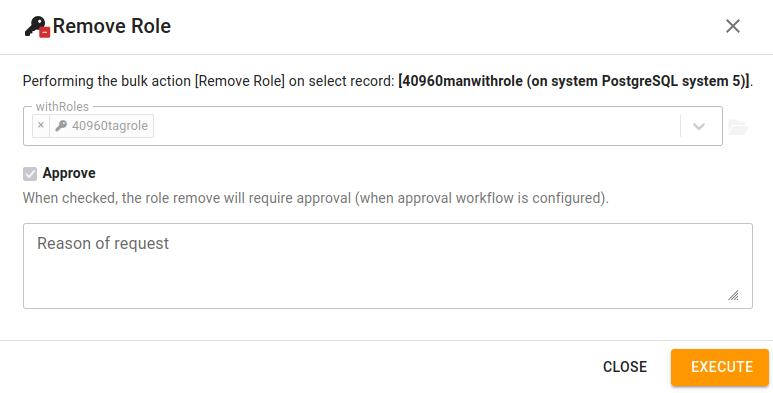
This bulk action supports specific settings:
- withRoles - the role to be removed, preselected as the role from detail
- Approve - if you have permission for execute without approving new roles (IdmRoleRequest - Execute), you can uncheck this selecbox
- Reason of request - will be added as description to the created requests
Required permission for execute:
- Account read and remove role
- Account role assignments read
- Role request create
- Role request concept create
- Role can be requested
- The action also requires that the user is the guarantor of the assigned role