

Uniform password for new accounts
The goal of the uniform password for new accounts is to make sure that an identity whose accounts are all created within a single synchronization run gets one password for all of them, and one notification instead of one notification per account.
What this feature does not do
IdM never stores a password in plain text. The uniform password for new accounts works only because the password is generated once and kept in the confidential storage for the duration of one synchronization transaction, and then deleted. Outside of that transaction IdM has nothing to reuse.
That has two consequences worth stating explicitly:
- Accounts created at different times never share a password. When an identity gets an account on system S1 today and an account on system S2 next month, the account on S2 gets a newly generated password. Unifying them would mean overwriting the password that the user already uses on S1, which is not acceptable.
- This is not the uniform password agenda. Unifying a password change across systems is a different feature, described in one password through all connected systems. If you need one password on two systems and the accounts are not created by a synchronization, use that feature - set the password (instead of generating it), or change the password once after both accounts exist.
Example scenario
- There is a synchronization of new identities. This synchronization creates a new identity I.
- The synchronization is followed by the synchronization of contracts, which creates 2 new contracts C1, C2 for identity I.
- A tree automatic role is linked to contract C1, which according to the structure creates an A1 account on system S1.
- An attribute automatic role is linked to contract C2, which according to the contract's attribute creates an A2 account on system S2.
Without the uniform password feature, two new accounts A1 and A2 are created after the contract synchronization finishes (after the automatic role recalculation), and each of them contains a different password. The user receives two notifications about the creation of a new account, one per account.
With the uniform password feature, two accounts are created as well, but both have the same password. The user receives only one notification about the accounts created on systems S1 and S2.
Preconditions
All of the following conditions must be met, otherwise each account gets its own generated password:
- The identity's state changes from Created, No contract or Left to Valid or Future contract. Only this transition starts the process.
- At that moment a synchronization long running task is running under the same transaction ID as the identity change. In practice this is the contract synchronization, because that is what changes the identity state.
- The target system is a member of an enabled uniform password definition.
- The system mapping contains at least one password attribute. A password that is already present in the provisioning context is never overwritten.
- For the system to appear in the final notification, the account must support password change.
How to enable this feature
To get the same password on all new accounts of an identity, the systems on which we want the same password must be listed in the uniform password agenda and the definition must not be disabled.
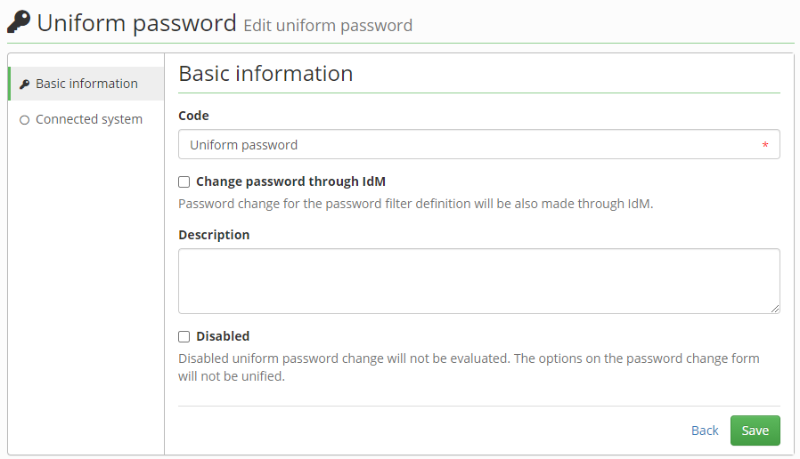
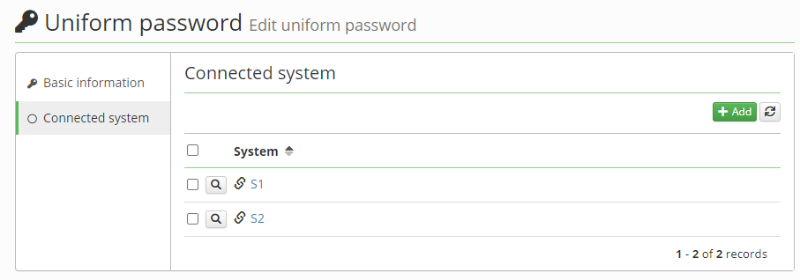
How to change the password in IdM as well
To use the same uniform password on the systems and in IdM, enable the checkbox "Change password through IdM" on the uniform password detail.
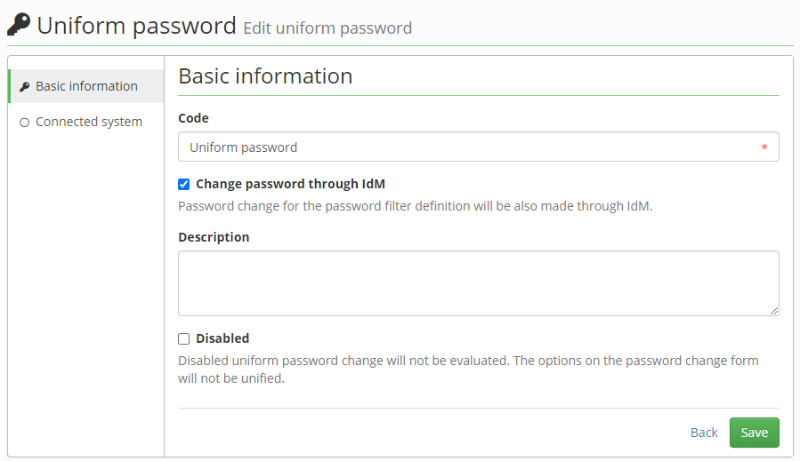
Notification
The notification is sent from the topic core:uniformPasswordSet using the uniformPasswordSet template. It is sent once per identity, at the very end of the synchronization, and only when:
- the uniform password was actually used for at least one account (the entity state is marked with passwordUsed),
- at least one system was provisioned successfully,
- the identity is no longer in the state Created.
The per-account notification (topic acc:newPassword, template newPassword) is suppressed for accounts covered by this feature, so the user does not get both.
How this feature works
The life cycle of the feature:
- The contract synchronization starts with a new transaction ID.
- After the synchronization of contracts, the recalculation of HR processes starts.
- Newly created contracts cause a change of the identity state (for example from Created to Future contract). This change is caught by the IdentityInitUniformPasswordProcessor processor, which creates a new entity state with the code IDENTITY_UNIFORM_PASSWORD (uniformPasswordManager.createEntityState(identity)). The generated uniform password is bound to this state and stored in the confidential storage.
- After the recalculation of HR processes finishes, the recalculation of automatic roles starts. Automatic roles are assigned to the contracts, account management begins and accounts start to be created.
- As part of the account creation it is detected that an entity state with the code IDENTITY_UNIFORM_PASSWORD exists for the given identity and transaction. In that case the account does not generate a new password, but uses the password from that entity state.
- Once the account is created, the ProvisioningUniformPasswordNotificationProcessor adds the code of the uniform password definition and the system entity ID to the entity state. These are used in the final notification.
- After the whole transaction ends (after all connected events are processed), the synchronization long running task starts the uniform password end process (uniformPasswordManager.endUniformPasswordProcess(transactionId)). It sends the notification (topic core:uniformPasswordSet) with the uniform password to every identity for which an entity state was created within the given transaction.
- After the notifications are sent, all entity states with the code IDENTITY_UNIFORM_PASSWORD created in the given transaction are deleted, together with the password in the confidential storage.